
Caledros Helper
Written by: David Arnado
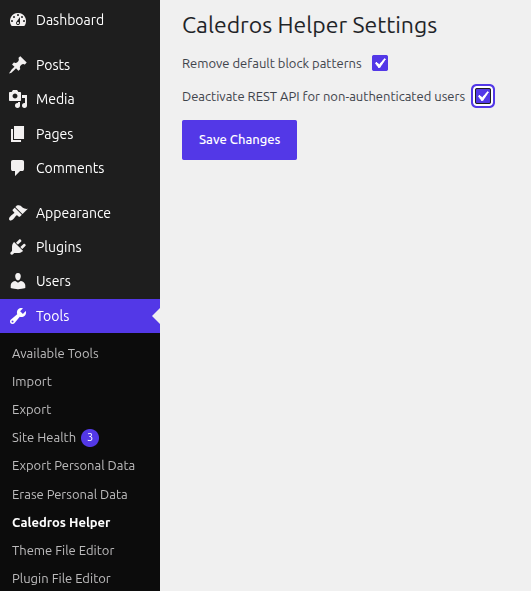
Caledros Helper is a small WordPress plugin that adds a small menu to manage the visibility of the default block patterns and to deactivate the REST API. The plugin itself is quite simple. It just adds two checkboxes, one for each of the aforementioned settings.
Simple controls for a simple plugin
Upon plugin activation, the user will find a new menu item under the Tools section. To enable one option, just check it and then press the Save Changes button.
The first version of the plugin rendered the menu item directly in the WordPress dashboard. However, in version 1.0.1, such menu was moved to its new position. This was done in order to not disrupt the original hierarchy of the WordPress dashboard.
The Remove default block patterns option allows to maintain a clean view of the WordPress block editor. When I developed my first FSE theme I realized that the default block patterns were preventing me from seeing my custom patterns in the first section of the patterns selector.
So, I decided to create this simple helper plugin to keep my editing experience clean and simple. Those who use custom FSE themes will find this tool really helpful.
Additionally, I realized that I was not using the WordPress REST API at all, so this plugin adds another option to simply hide such API. If the user needs the REST API to become visible again for non-authenticated users, then they can simply turn off such feature.
Compatibility with Full Site Editing
Caledros Helper is fully compatible with Full Site Editing themes. Indeed, it can function completely fine on classic WordPress themes as well.
For more information about the plugin, check its official WordPress.org page and its github repository.